How to Fix a Turntable That Has No Sound
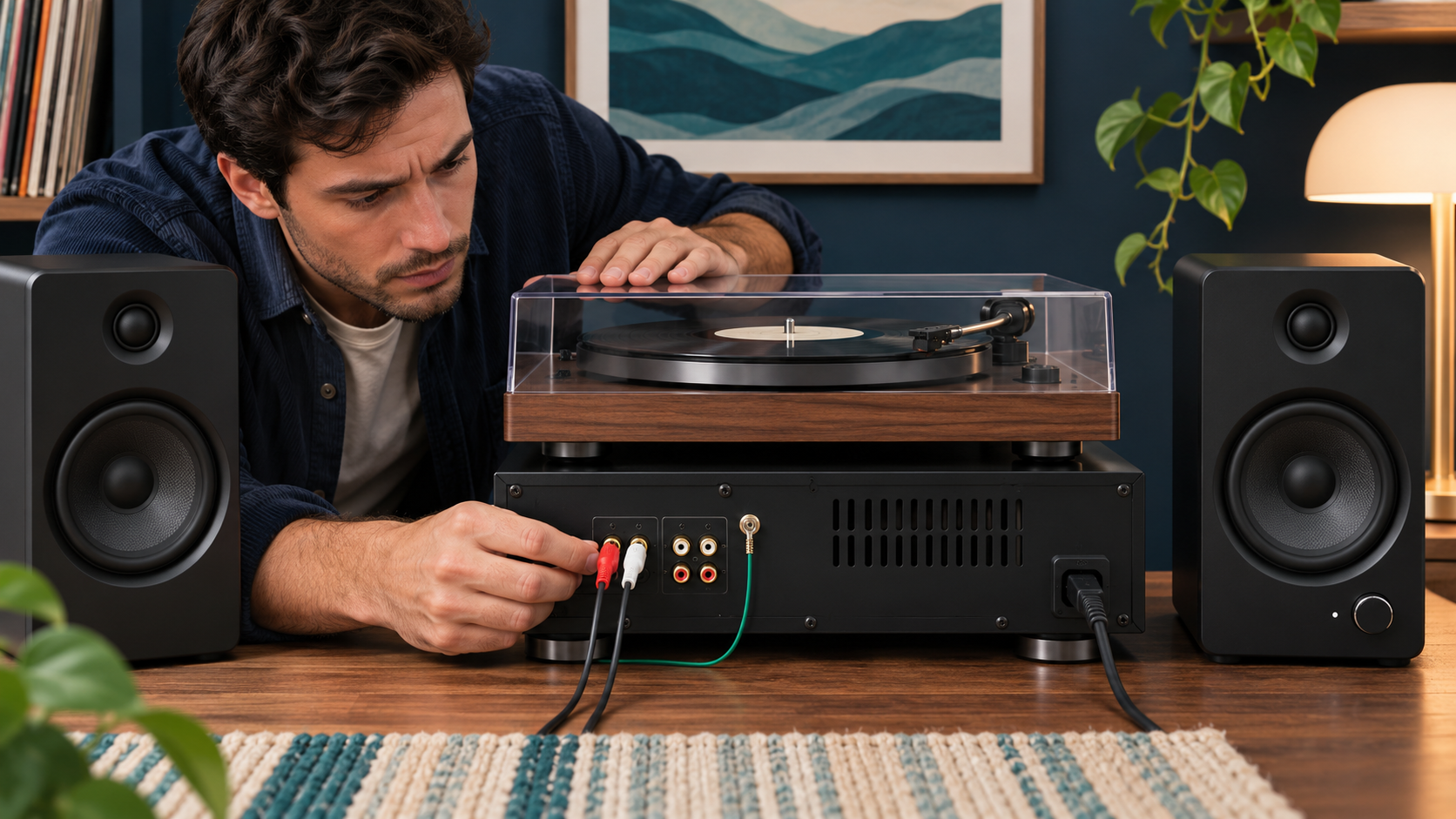
Trace a silent turntable from power and input selection to the PHONO/LINE preamp path, RCA cables, and speaker connections.
Follow these steps at your own pace. Check product terms and prices directly with providers before purchasing.
Start with the symptom
| What you hear | Start here |
|---|---|
| No sound from either speaker | Power, selected input, signal path, and preamp. |
| One channel is silent | Left/right RCA plugs, receiver balance, speaker connections, and cartridge wiring only if you can safely inspect it. |
| Very quiet sound | Missing phono preamp or a turntable preamp switch set to PHONO/OFF. |
| Loud distortion or hum | Check for two preamp stages, wrong input, or grounding; see the hum and buzz guide. |
Step-by-step: trace the audio path
- Confirm the turntable is playing. Check that the platter turns and the stylus is lowered onto the record with the cue lever. If the platter will not turn, use the no-spin troubleshooting guide.
- Check speaker or receiver power. Verify the power switch, volume, mute, speaker A/B selection, and any protection indicator. Test the same speakers with another known working source at low volume.
- Select the input you actually connected. If the RCA cables go to AUX, CD, LINE, or another input, select that input. Choose PHONO only when the turntable outputs PHONO level and the receiver has a PHONO input.
- Match the preamp setting. A turntable with a built-in preamp should be set to LINE when connected to AUX/CD. If it has no preamp and the receiver lacks PHONO, use an external phono preamp between turntable and receiver. Avoid feeding a LINE output into PHONO because the signal can over-amplify.
- Power down before checking cables. Turn off the receiver and turntable, then reseat both RCA plugs. Match red to right and white or black to left. Connect the ground lead to the preamp or receiver’s ground terminal when the equipment has one.
- Check speaker connections. For passive speakers, ensure speaker wire is connected to the receiver’s speaker outputs and the wire strands are not shorting adjacent terminals. Powered speakers use a compatible line output, not speaker-level terminals unless their manual specifically permits it.
- Test one change at a time. Turn devices back on, select the correct input, and begin at low volume. If one channel is still silent, swap the left/right RCA plugs at the receiver with power off. If the silent side changes, suspect a cable or turntable channel; if it does not, check the receiver or speaker side.
Quick decision table
| Turntable output | Receiver input | Correct connection |
|---|---|---|
| PHONO-level, no built-in preamp | PHONO | Connect directly; attach ground wire as directed. |
| PHONO-level, receiver has no PHONO | AUX/CD after external preamp | Turntable → preamp → receiver. |
| LINE-level from built-in preamp | AUX/CD/LINE | Connect directly with turntable output set to LINE. |
Common mistakes
- Leaving the receiver on a different input.
- Connecting a PHONO-level output to a line input without a preamp.
- Using two phono preamps, which can make sound harsh or distorted.
- Expecting a turntable’s RCA output to power passive speakers directly.
- Reconnecting RCA cables with the receiver powered and volume raised.
When to request service
If the input works with another source, the cables are secure, and the correct preamp path is selected but the turntable remains silent, the cartridge, tonearm leads, or built-in preamp may need service. Do not touch cartridge pins or open the turntable unless the manual says how. If there is burning odor, intermittent power, or damaged insulation, stop using it.
For the exact wiring diagrams, use the receiver connection guide or the powered-speaker connection guide. For platter speed issues, see the speed troubleshooting guide.
Manufacturer guidance
Bottom line: Trace the signal from stylus to speaker: correct input, one appropriate phono preamp, secure RCA connections, and powered speakers or receiver. Test with low volume.
Comments
Comments are reviewed before they become public.
Sign in with Google to leave a comment.
Sign in with GoogleNo approved comments yet. Be the first to start the discussion.