Home & Technology · 7 min READ
How to Connect a Turntable to Powered Speakers
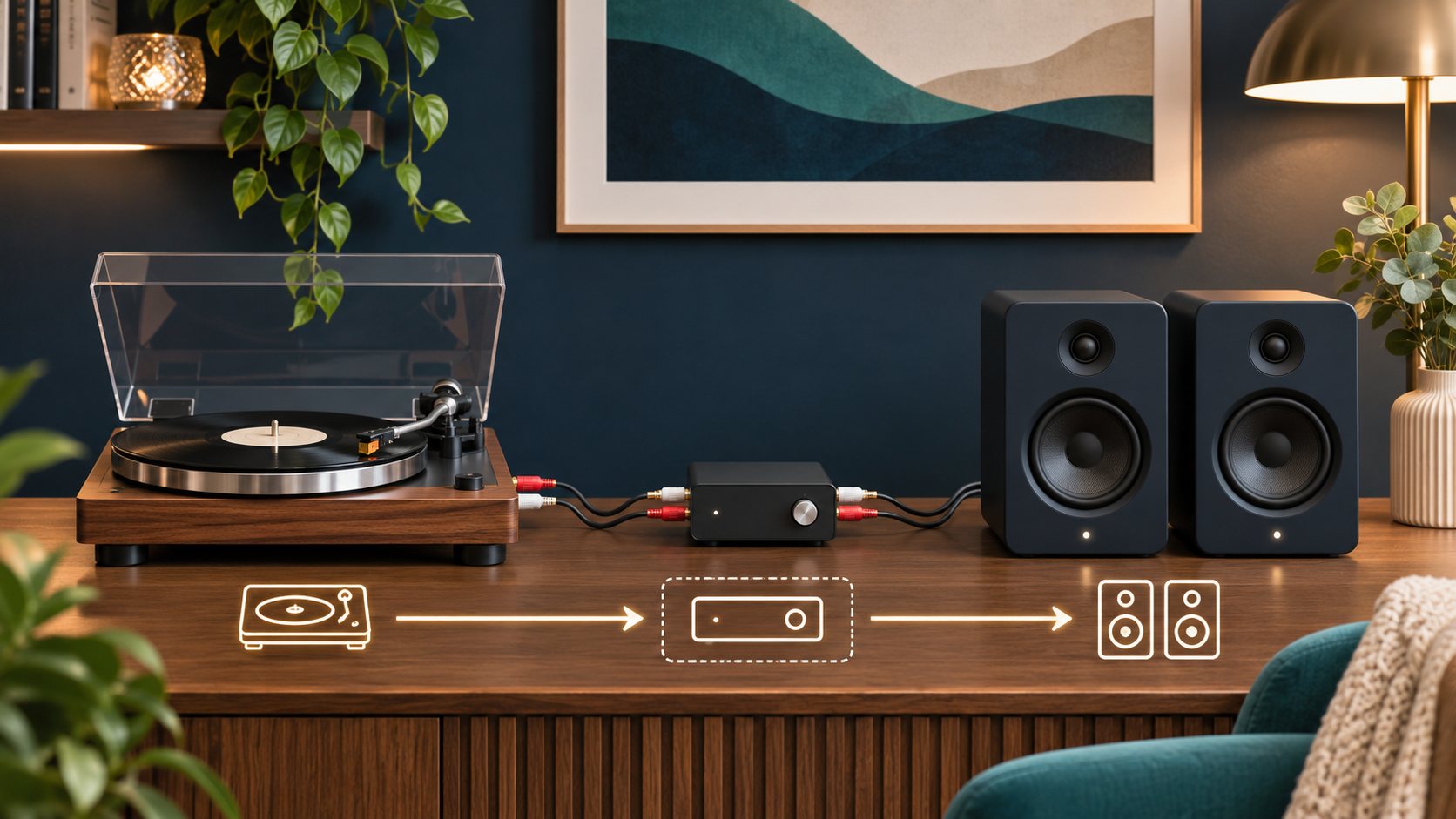
Choose the correct PHONO or LINE signal path, add a preamp if needed, and connect a turntable to powered speakers without quiet or distorted audio.
Quick note
Follow these steps at your own pace. Check product terms and prices directly with providers before purchasing.
Quick Answer: Check whether the turntable has a built-in phono preamp. If it does, set its output to LINE and connect to a powered speaker’s LINE/AUX input. If it does not, connect the turntable to an external phono preamp, then connect the preamp’s line output to the speaker. Use the PHONO input only when the speaker or system specifically provides one.
What you need
- Turntable, powered speakers, and their manuals
- Stereo RCA cable, or the cable/adaptor required by the speaker
- A phono preamp if neither the turntable nor speaker has one
- Ground wire if your turntable and preamp provide ground terminals
Choose the right connection path
| Turntable output | Speaker input | Connection |
|---|---|---|
| Built-in preamp, switched to LINE | LINE, AUX, RCA, or compatible line input | Turntable → powered speaker |
| PHONO-level output | LINE, AUX, or RCA | Turntable → external phono preamp → speaker |
| Any turntable | Built-in PHONO input | Use the speaker maker’s PHONO instructions; avoid adding a second preamp |
Step-by-step connection
- Power everything off. Turn off the turntable and speakers before connecting audio cables. Place speakers on a stable surface with space around their ports.
- Check the turntable’s preamp. Look for a PHONO/LINE switch or a built-in preamp setting in the manual. Some models have no built-in preamp; others always output line level.
- Check the speaker input. Use a LINE, AUX, or RCA input for a line-level signal. A 3.5 mm AUX input may need the cable or adapter specified by the speaker manufacturer. Do not connect a low-level PHONO output directly to an ordinary LINE input.
- Connect the turntable directly if it outputs LINE. Set the turntable to LINE and connect its RCA output to the speaker’s RCA or compatible line input. If the speaker uses separate left/right RCA inputs, match red to right and white or black to left.
- Add a phono preamp if needed. If the turntable outputs PHONO and the speaker has no PHONO input, connect turntable RCA to the preamp input, then the preamp output to the speaker’s LINE/AUX input. Set a switchable preamp to LINE/ON as its manual directs.
- Connect the ground wire when provided. Attach the turntable’s ground wire to the preamp’s ground post. If the preamp has an output ground connection and the speaker provides a ground terminal, follow their manuals for that connection.
- Power on and select the input. Turn on the speaker, choose the correct RCA/AUX input, then start the turntable. Begin with low speaker volume and raise it gradually.
- Test both channels. Play a clean record and confirm left and right sound. Keep cables away from power cords where practical and secure loose wires so they cannot pull the tonearm or speaker.
Common mistakes
- Connecting PHONO-level output to LINE/AUX without a phono preamp, causing very quiet, thin sound.
- Running a turntable’s built-in preamp into a PHONO input, causing excessive or distorted sound.
- Forgetting the powered speaker must be plugged in and switched on.
- Using a mono cable or incorrect adapter that combines or drops a stereo channel.
Troubleshooting
| Symptom | Check |
|---|---|
| No sound | Speaker power, selected input, cable seating, and whether a preamp is required. |
| Very quiet sound | Turntable likely needs a phono preamp or its built-in preamp is switched off. |
| Loud or distorted sound | Check for two preamp stages; do not feed LINE output into a PHONO input. |
| Hum or buzz | Check the ground wire and cable routing. See the turntable hum troubleshooting guide. |
If you are connecting to a stereo receiver instead, use the receiver connection guide. For full assembly, see the first-time setup guide.
Source
Bottom line: Match phono and line levels. Use one appropriate phono preamp in the signal path, connect to the powered speaker’s correct input, and start testing at low volume.
Comments
Comments are reviewed before they become public.
Sign in with Google to leave a comment.
Sign in with GoogleNo approved comments yet. Be the first to start the discussion.