How to Connect a Turntable to a Receiver
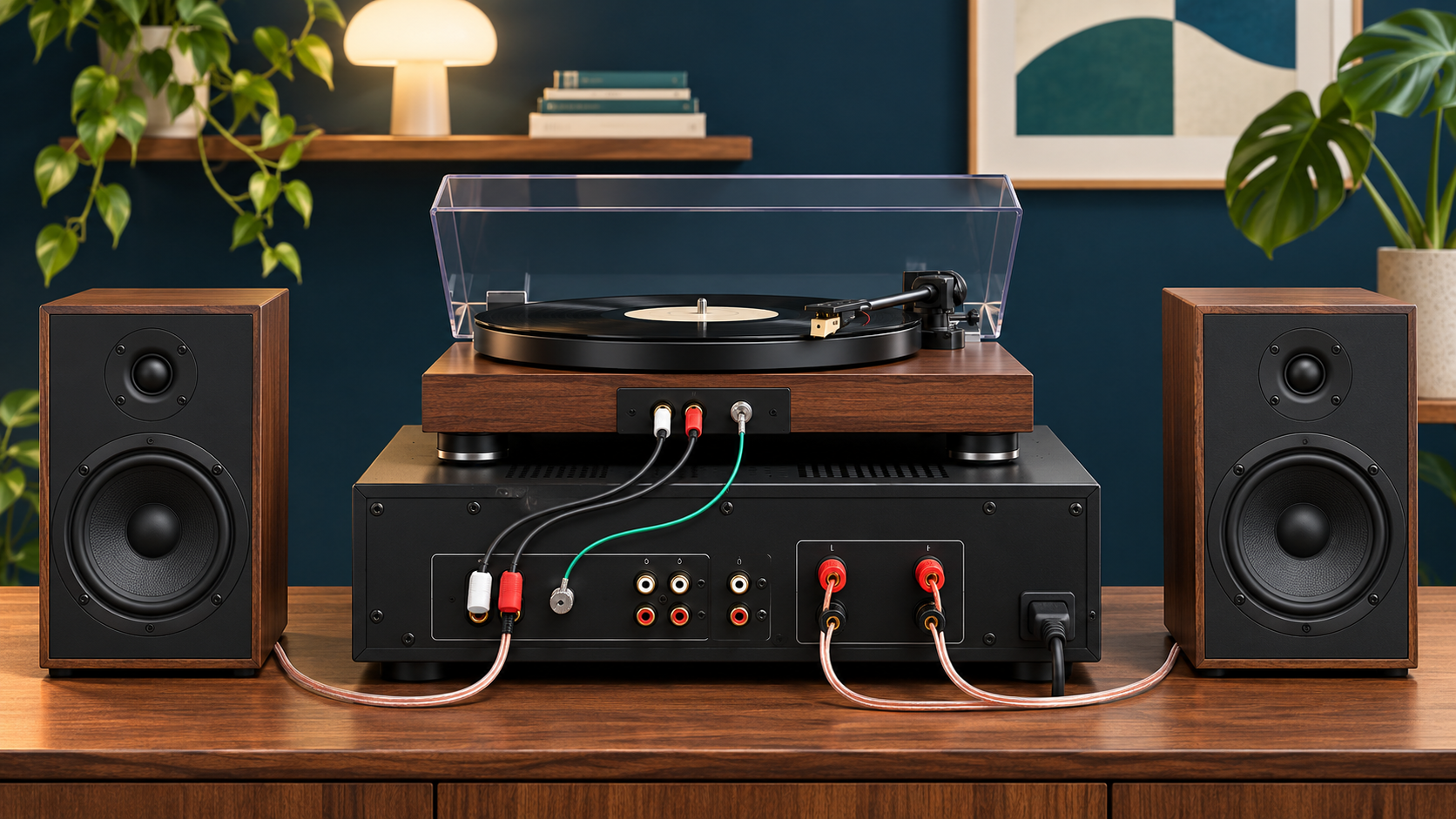
Connect a turntable to a stereo receiver by matching PHONO and LINE levels, choosing the right input, and attaching the ground wire when needed.
Follow these steps at your own pace. Check product terms and prices directly with providers before purchasing.
Before connecting: check the signal path
A record cartridge produces a low-level PHONO signal that needs equalization and amplification. A receiver’s PHONO input usually supplies that stage. A turntable may also have a built-in phono preamp, and an external preamp can provide one. Use only one active phono stage: double amplification can sound loud, harsh, or distorted.
| Receiver | Turntable setting | Input to use |
|---|---|---|
| Has PHONO input | PHONO or built-in preamp OFF | PHONO |
| No PHONO input; turntable has built-in preamp | LINE or built-in preamp ON | AUX, CD, or another line input |
| No PHONO input; turntable has no built-in preamp | Connect through an external phono preamp | AUX, CD, or another line input |
What you need
- Turntable and receiver manuals
- Stereo RCA cable
- Ground wire if supplied
- External phono preamp only if neither device provides one
- Speaker wire for passive speakers, if you are connecting speakers to the receiver
Step-by-step connection
- Turn off both devices. Lower the receiver volume and switch off the receiver and turntable before handling the cables.
- Find the receiver input. Look for PHONO and a nearby ground screw. If there is no PHONO input, locate a line input such as AUX or CD.
- Check the turntable preamp setting. If using the receiver’s PHONO input, set the turntable’s switch to PHONO/OFF as labeled in its manual. If connecting directly to AUX/CD, the turntable must output LINE-level signal.
- Connect the RCA plugs. Connect red to the right channel and white or black to left. Plug them into the matching receiver input. Do not use a receiver’s output jacks by mistake.
- Connect the ground wire. If the turntable has a separate ground lead and the receiver has a ground terminal, loosen the terminal, place the wire under it, and tighten it. Do not force a wire into an RCA jack.
- Use an external preamp if required. Connect turntable output to the preamp’s PHONO input, ground the turntable to the preamp, then connect the preamp’s LINE output to the receiver’s AUX/CD input. Connect a second ground only if the equipment has a terminal and its manuals call for it.
- Connect passive speakers safely. With power off, connect speaker wire from the receiver’s speaker outputs to the speakers, matching positive and negative terminals. Powered speakers connect to a line output or pre-out only if the receiver manual supports it.
- Select the input and test. Turn on the receiver, choose PHONO or the line input you used, and start at low volume. Confirm both channels work before increasing volume.
Common mistakes
- Using PHONO on both the turntable and receiver, which can over-amplify the signal.
- Using a LINE output with a receiver's PHONO input, which can sound distorted.
- Forgetting the separate ground wire when a terminal is available.
- Connecting passive speakers to the turntable directly; they need an amplifier or receiver.
- Changing cables with equipment powered on or volume raised.
Troubleshooting
- Quiet, thin sound: a phono preamp may be missing or switched off.
- Very loud or distorted sound: check that only one phono preamp stage is active.
- Hum: reseat RCA plugs, attach the ground wire, and move audio cables away from power adapters. See the hum and buzz troubleshooting guide.
- One silent channel: swap left/right RCA plugs at the receiver to determine whether the issue follows a cable or input; power down before changing connections.
For powered bookshelf speakers that do not use a receiver, see the powered-speaker connection guide. For the complete setup sequence, use the turntable setup guide.
Source
Bottom line: Match PHONO output to a PHONO input, or LINE output to AUX/CD. Ground the equipment as instructed and keep only one phono preamp active.
Comments
Comments are reviewed before they become public.
Sign in with Google to leave a comment.
Sign in with GoogleNo approved comments yet. Be the first to start the discussion.