How to Fix a Turntable That Won’t Spin
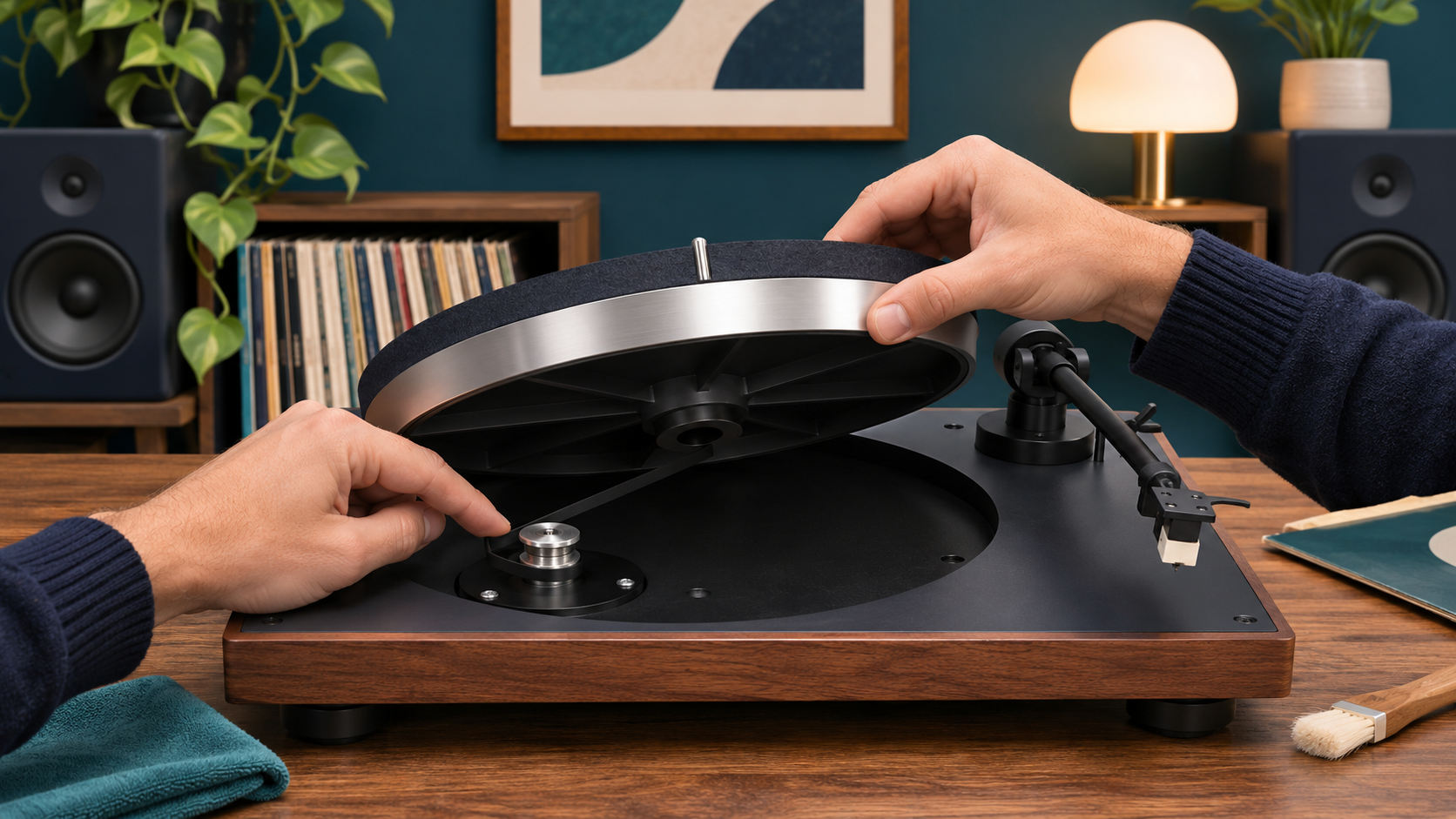
Check the power, speed selector, platter, and belt on a turntable that will not spin. Follow model-specific reset steps and know when to stop and request service.
Follow these steps at your own pace. Check product terms and prices directly with providers before purchasing.
What to check first
A turntable that will not spin may have a simple setup issue, such as an unplugged adapter, a speed selector at STOP, or a belt that slipped off. The exact controls vary. If the platter spins but you hear no music, use the no-sound troubleshooting guide instead.
Safe checks before troubleshooting
- Turn the player off before touching the platter or belt.
- Remove the record and secure the tonearm in its rest.
- Keep fingers, cloth, and tools clear of the stylus.
- Stop if you smell burning, hear grinding, or see a damaged power lead.
Step-by-step: diagnose a platter that will not turn
- Confirm power. Make sure the adapter is firmly connected to the turntable and a working outlet. If the unit has a rear ON/STANDBY switch, set it as the manual specifies. Use only the supplied or manufacturer-approved power adapter.
- Select a playback speed. Many belt-drive players engage the motor only when the speed selector is set to 33⅓ or 45 RPM. A STOP position will keep the platter still. Choose a supported speed and press START if your model requires it.
- Check for a transport lock or mechanical obstruction. Remove shipping ties or protective packing only as the manual directs. Make sure the platter can sit fully on the spindle and nothing is wedged beneath it. Do not force it down.
- Inspect the belt on a belt-drive model. With the player off and platter mat removed, look for the belt around the platter and motor pulley. It should be seated in the intended path, flat rather than twisted, and not hanging loose. If it has fallen off, reinstall it following the model instructions; see the turntable belt replacement guide if it is damaged or stretched.
- Check model-specific auto-start steps. Some automatic turntables require a reset or synchronization procedure for the platter and tonearm. Follow the exact button sequence in the operating manual. Do not manually move an automatic mechanism unless the manufacturer instructs you to.
- Test briefly. Replace the mat, select the correct speed, and start the player. Keep hands away from the moving platter and observe whether it starts smoothly.
Use the right branch for your drive type
| Turntable type | Useful checks | Do not assume |
|---|---|---|
| Belt drive | Speed selected, belt path, pulley, platter seated | That a belt is present just because it was in the box |
| Direct drive | Power, speed controls, start/stop control, manual reset | That there is a belt to reinstall |
| Automatic | Start button, tonearm lock, maker’s reset instructions | That you can rotate or swing the mechanism freely |
Common mistakes
- Trying to start a belt-drive player while the selector is at STOP.
- Twisting or stretching the belt while fitting it.
- Forcing the platter or turning the spindle against resistance.
- Opening the base or adjusting internal motor parts without service instructions.
When to stop
If the platter still will not turn after the manual’s power, speed, and belt checks, or if it makes scraping or grinding noises, stop using it. The motor, switch, or automatic mechanism may need service. Do not keep cycling the power or lubricate a part unless the manufacturer specifies the correct lubricant and location.
If the platter does turn but speed wanders, see how to troubleshoot incorrect turntable speed. For connections and input selection, read the receiver setup guide.
Manufacturer troubleshooting
Bottom line: Check power, selected speed, and the model’s belt or reset procedure with the unit switched off. Stop if the platter binds or the problem points to a motor or internal mechanism.
Comments
Comments are reviewed before they become public.
Sign in with Google to leave a comment.
Sign in with GoogleNo approved comments yet. Be the first to start the discussion.