Measure and route a leak sensing cable around a tank water heater, account for the drain pan, and test the far end before relying on the alarm.
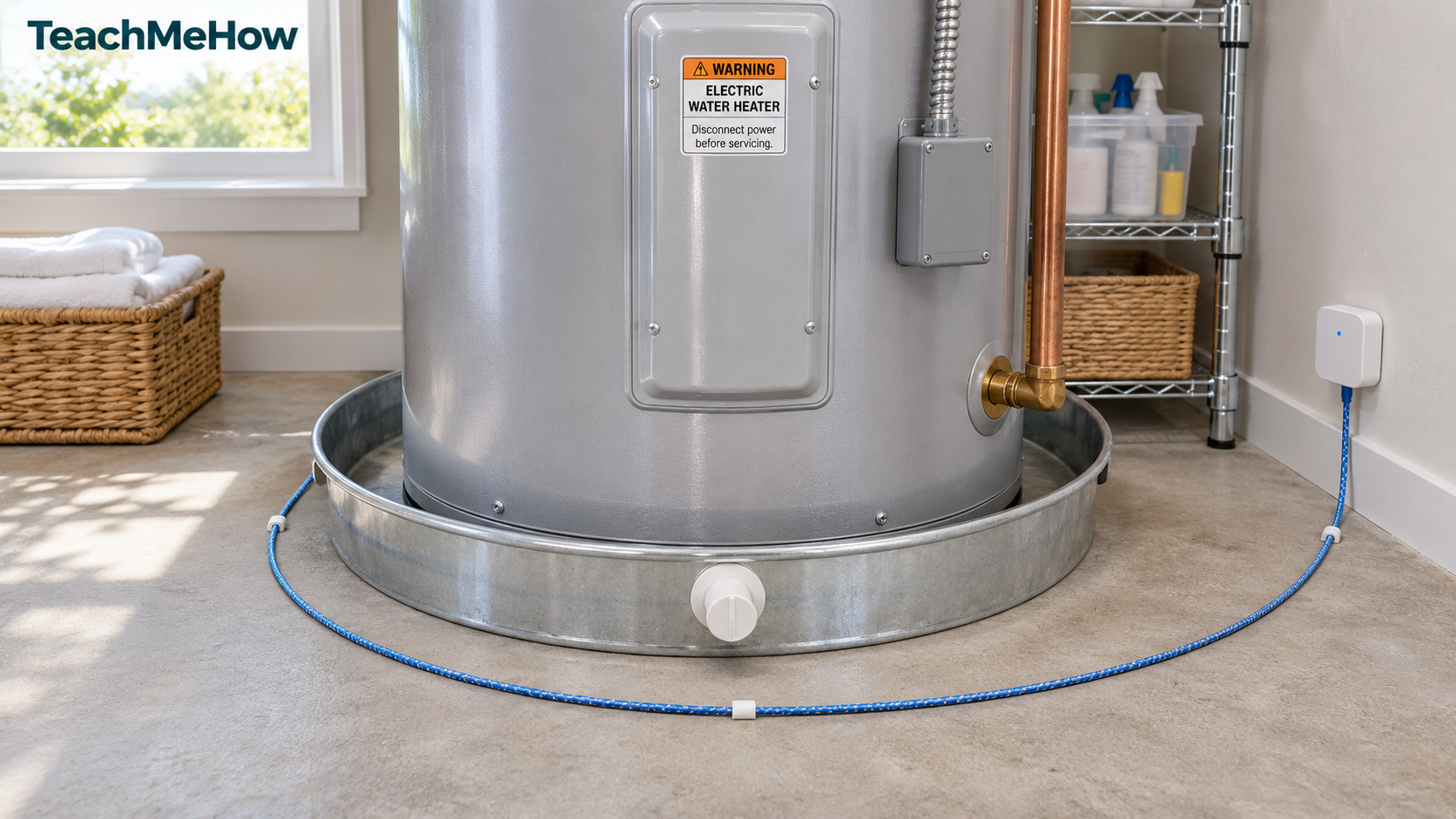
Lay the active part of the sensing cable across the path escaping water would take. A loose arc on a dry floor can cover several sides of the tank. A cable outside a drain pan detects water that escapes onto the floor. If you want an alert while water is still inside the pan, you need a sensing element inside it, in a position both equipment manuals permit.
Identify which part of your cable senses water
Trace it from the alarm to its tip. Some detectors have a wire leading to a pair of metal contacts at the far end. On those models, a leak halfway along the wire can pass unnoticed. This installation is for a cable whose length detects water. Eve Water Guard is one example. It comes with a 6.5-foot sensing cable and accepts matching extensions. Check your own manual before planning the route.
Measure the route with string first
- Start at the alarm. Pick an accessible, dry controller location. A plug-in model needs a suitable dry outlet. If water has reached an outlet or powered equipment, stay out of the wet area and get qualified help before installing anything.
- Map where water collects. Look for the pan rim, raised pads and the slope toward the floor drain. Imagine a drip running down the side of the tank. Would it enter the pan, or would it reach the floor where you plan to lay the cable? Leave the pan outlet and the floor drain open.
- Count the drop from the controller. Run string from the connection down to the floor and along your planned arc. Measure the whole string. For example, a three-foot drop leaves only about three and a half feet of floor coverage from a 6.5-foot cable, before allowing slack for bends. Use an approved extension if needed. Stretching the cable across a corner can lift it above a shallow puddle.
Connect the cable and lay it flat
Begin with a dry floor and a dry cable. Follow the detector manual to connect the controller and seat each extension. Leave enough slack to reach the connectors later. Guide the sensing section along your measured route with gentle bends. Keep it clear of hot surfaces, burner openings, service covers, valves and walkways. The heater itself stays in place throughout this job.
Look at the cable from floor level. A raised loop can leave a gap exactly where water would cross. If the manual allows clips, use the specified kind without crushing or covering the sensing surface. Keep one accessible section you can lift for testing. A closed loop around the tank is unnecessary if a shorter route intercepts the likely flow.
Verify the far end before relying on it
Tell anyone who receives alerts that you are testing. For Eve Water Guard, select Alarm Test in its settings in the Eve app. Following the prompt, dip a short section of the sensing braid near the far end into a small bowl of water. Keep the plug, connectors and controller dry. Check for the test alarm and, if enabled, the expected phone notification. Testing beyond the last connector helps reveal a loose extension. Other brands can require a different test method.
Remove the bowl, allow the cable to dry fully and return it to the marked route. Confirm the app reports a dry state. Photograph the finished layout so you can restore it after servicing the heater. Eve recommends testing at least every three months.
If the result surprises you
- The near end works but the extension does not. With the cable dry, check each joint and the extension model. Test on either side of the joint using the approved method. Replace a faulty segment before counting that area as covered.
- A test succeeds but a real drip misses the cable. Trace the drip to its first collection point. Water that exits through the pan drain may never reach a cable on the outer floor. Adjust coverage to match the specific leak you want to catch.
- The alarm continues after testing. Moisture can remain in the braid even when the floor looks dry. Check the entire route for fresh water and use the steps for clearing a leak alarm after a spill. For another detector design, follow the guide to testing water leak sensors.
Model references · Eve Water Guard specifications and support · Eve’s cable placement and test walkthrough · Second-generation quick-start guide
If you have a point detector instead of a cable, see where to place a water leak sensor.


Comments
Comments are reviewed before they become public.
Sign in with Google to leave a comment.
Sign in with GoogleNo approved comments yet. Be the first to start the discussion.