Best for a Quick Energy Audit

Plug-in electricity meters
P3 International Kill A Watt P4400
Read cumulative kWh and elapsed time at the outlet for a simple before-and-after test.
Check current price
Check current price ↗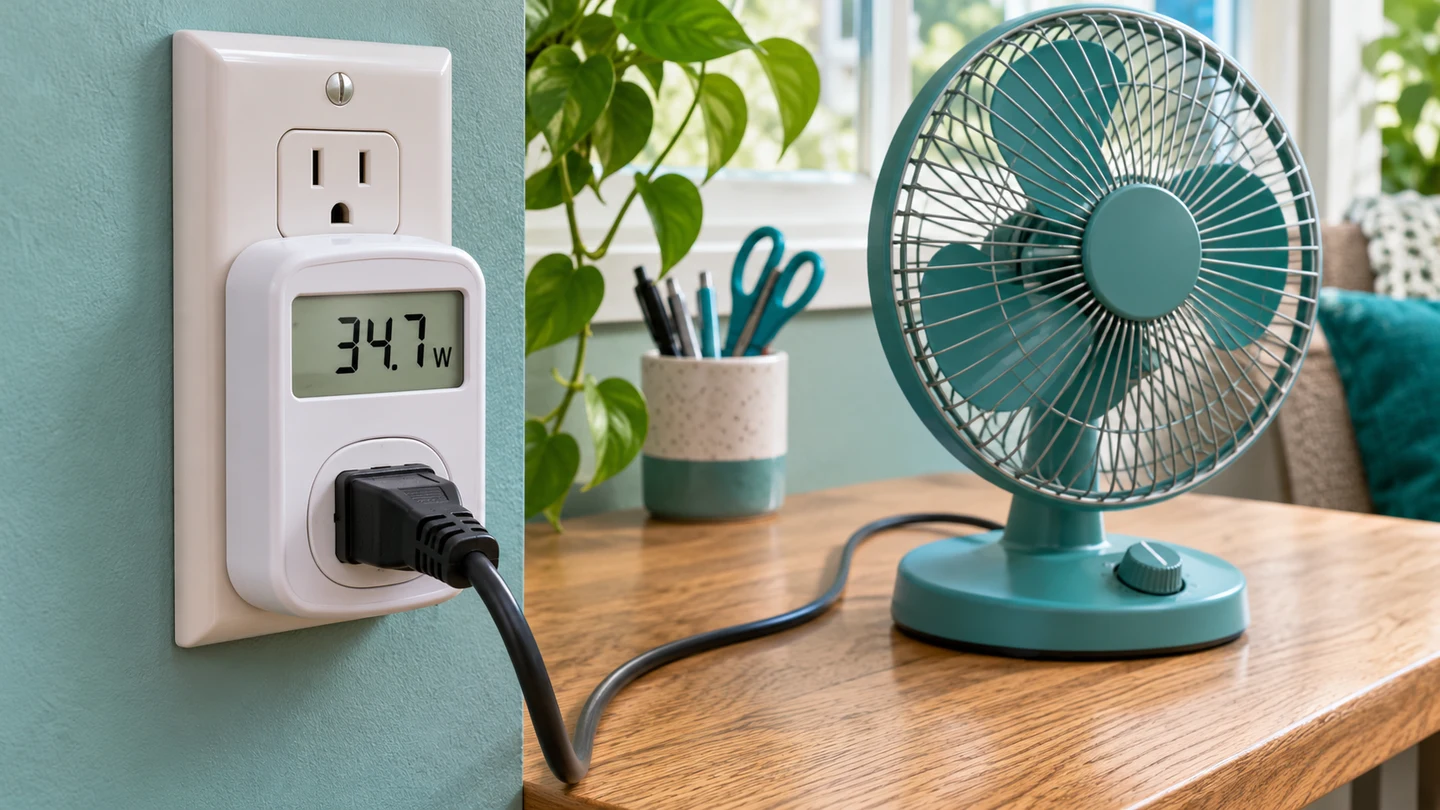
Use a plug-in meter to measure watt-hours over a real workday, compare settings, and estimate the electricity cost from your own rate.
Follow these steps at your own pace. Check product terms and prices directly with providers before purchasing.
Measure one plug-in appliance over a typical period of use. Record the starting and ending kilowatt-hours, then multiply the difference by your electricity rate. For devices that cycle on and off, include the whole cycle.
| Option | Best for | Trade-off |
|---|---|---|
| P3 Kill A Watt P4400 | A one-off measurement you can read at the outlet | Record the total before removing power |
| Kasa Smart Plug Slim EP25 | Reviewing daily energy use on a phone | Check the selected reporting period and 2.4 GHz Wi-Fi coverage |
A desk fan makes a good first test. You might want to know how much energy it uses over a workday or how much changing the speed saves. Check the appliance label and the meter’s voltage, current and load-type limits. Use a compatible plug-in appliance at a dry indoor outlet. Hardwired equipment needs a different measurement method.
With the appliance switched off, insert the meter into the outlet and connect the appliance to the meter. Write down the time, starting kilowatt-hours (kWh) and appliance setting. On a P3 P4400, the KWH/Hour button switches between cumulative energy and elapsed time. For a Kasa EP25, pair the plug and open its energy view. Check which time period the app is showing.
Use the appliance as you normally would. For a fan, run a full work session. For an appliance that cycles, include idle time and several operating cycles. Keep any automatic schedules on the monitoring plug disabled during the test. A watts reading is a snapshot. The change in kWh captures the energy used across the whole interval.
Record the end time and the final kWh reading while the meter still has power. Subtract the starting kWh from the ending kWh. For example, a start of 1.20 kWh and an end of 1.52 kWh mean the appliance used 0.32 kWh during the test. Record whether it was running continuously or only part of the time.
Multiply the measured energy by your electricity usage rate per kWh. At an example rate of $0.25 per kWh, 0.32 kWh costs about $0.08. If you pay time-of-use prices, split the readings by rate period. For a fan-speed comparison, repeat the test for the same number of hours on the second speed.
| Use case | What to do |
|---|---|
| Desk fan | Compare equal-length runs at two speeds. |
| TV and accessories | Measure one device at a time to see which contributes to standby use. |
| Device that cycles | Record a longer interval that includes starts, stops and idle time. |
Keep the time and the kWh together. An energy reading becomes much more useful when you know exactly what the appliance did during the measurement.
The P4400 displays total kWh at the outlet. The Kasa EP25 is convenient when you want to review energy use in an app.
Read cumulative kWh and elapsed time at the outlet for a simple before-and-after test.

Review energy use by outlet in the app and compare devices across normal days of use.
Prices may change. Check the retailer for the current price and availability. We may earn a commission from qualifying purchases at no additional cost to you. Learn more.
Comments
Comments are reviewed before they become public.
Sign in with Google to leave a comment.
Sign in with GoogleNo approved comments yet. Be the first to start the discussion.