Light the shelf you reach for without running new wiring. Test the beam with the closet full, aim the motion sensor, and mount a battery-powered fixture you can still reach for battery changes.
Quick Answer
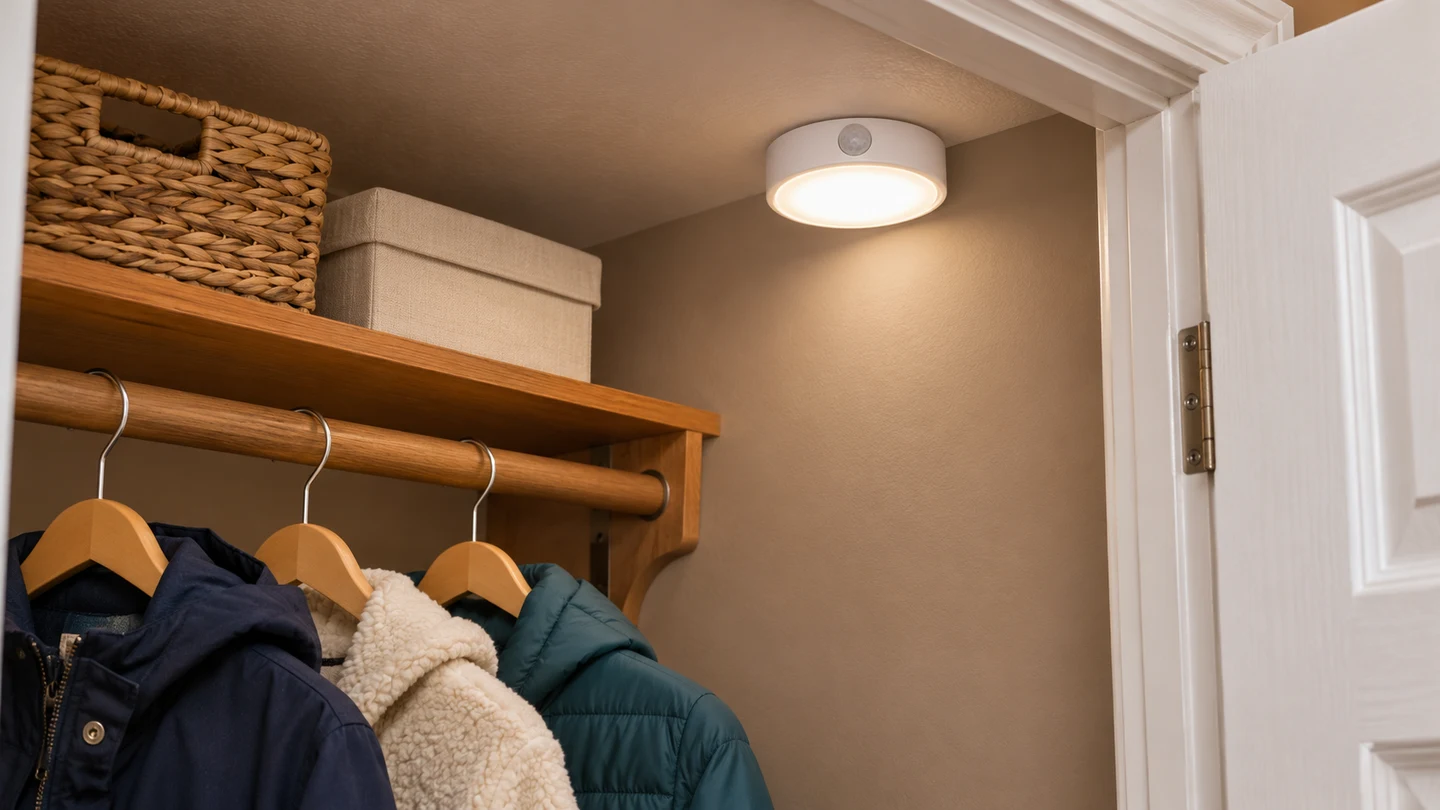
Test a battery-powered light at the front of the closet after dark. With the coats and boxes in place, reach for something on the lowest shelf. Mount the light where it catches that first movement and lets you see what you reached for.
Compare your options
| Option | When it fits | What to check |
|---|
| Round motion light on the ceiling | A small closet with open space above the doorway | A deep upper shelf can cast a shadow over everything below it. |
| Motion light on an upper side wall | A shelf divides the closet or the door hides the ceiling | Choose a fixture rated for wall mounting and leave room to remove it from the bracket. |
| Rechargeable light bar under a shelf | A single shelf or drawer needs light | Check where the sensor faces and how the bar comes off for charging. |
Step-by-step installation
1. Choose one object as your lighting target
Pick something you have trouble finding, such as a navy coat beside a black one or a pair of shoes under the lowest shelf. Put the closet back in its usual condition. A test in an empty closet will tell you little about where those items sit in shadow.
2. Load the batteries and test the light loose
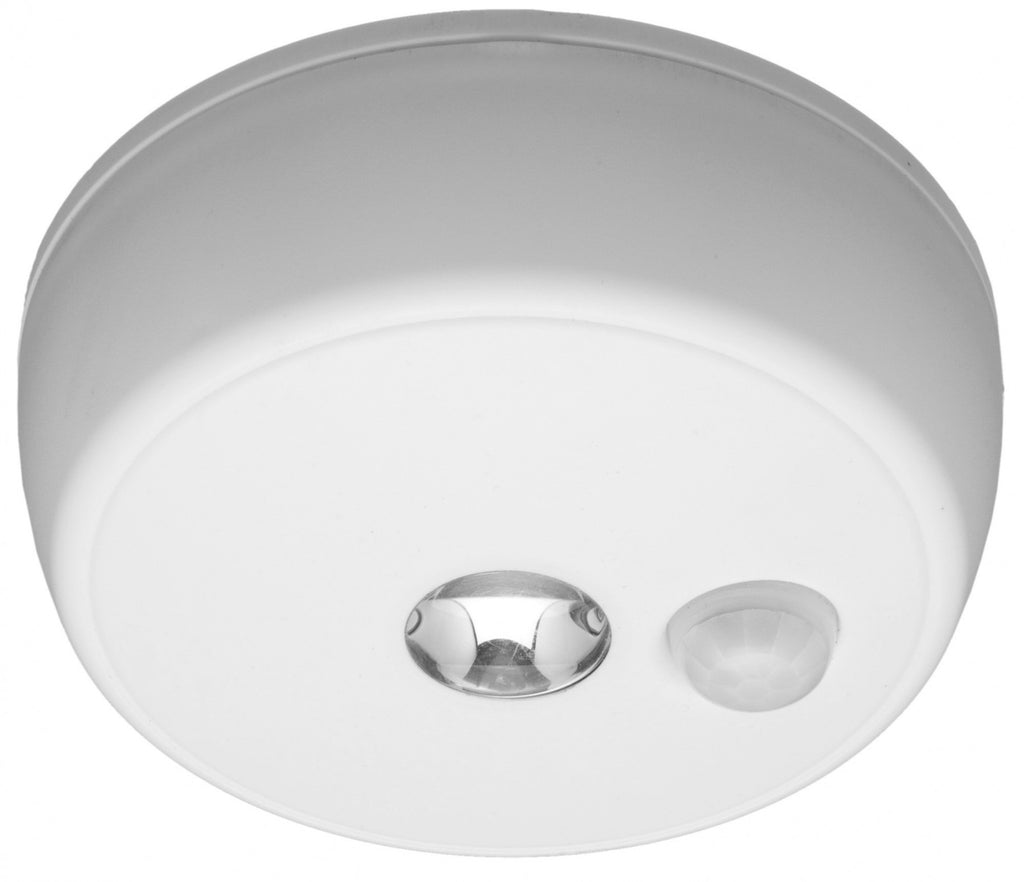
For the Mr Beams MB980, twist off the mounting plate, open the battery cover according to its markings, and insert four fresh 1.5-volt alkaline C cells in the marked directions. Close and secure the cover. Try the light in a dim room. Its daylight sensor can keep it off during a bright daytime test.
3. Try two positions before marking holes
Have someone hold the light just inside the doorway, then on an upper side wall. Stand where you normally stand and reach toward the target. Pick the position that lights the item without putting your shoulder between it and the beam. Point the sensor toward the approaching hand or body and leave clearance for the door and stored items.
4. Secure the mounting plate
Use the removable plate as a template and mark its screw holes. Check the area for concealed wiring or plumbing before drilling. Use the fasteners and pilot-hole size appropriate for your surface and fixture. On a wall, follow the orientation mark on the plate. Tighten it flat so the light can twist on and off for servicing.
5. Lock the housing and run a full cycle
Seat the housing on the plate and twist until it locks. With the hall in its usual evening lighting, leave the sensor’s view until the lamp goes dark. The MB980 normally shuts off after about 30 seconds without motion. Open the door, reach in, then step away. Repeat with the door partly open if that is how you usually use it.
Tools and buying tips
- Gather a pencil, screwdriver, suitable fasteners, and a stable step stool. Check the supplied installation sheet before choosing a drill bit.
- Compare light placement before buying a brighter fixture. A box or shelf blocks a bright beam just as easily as a dim one.
- Make sure you can turn the housing far enough to remove it without emptying the upper shelf.
Which setup fits your home?
| Situation | Try this |
|---|
| Reach-in coat closet | Try the area in front of the hanging rod so coats do not hide the lens. |
| Deep linen shelves | Test a side-wall location at the shelf opening. Read a label at the back while standing in the doorway. |
| Closet beside a busy hallway | With the door ajar, walk past once without reaching in. Move the sensor farther inside if it keeps triggering from the hall. |
Common mistakes
- Testing only with the hallway brightly lit, then assuming the batteries are dead.
- Aiming the sensor over the entry while the bulb illuminates the tops of storage boxes. Test detection and visibility separately.
- Sticking a screw-mounted, battery-loaded ceiling fixture overhead with general-purpose tape. Use its mounting plate and specified fasteners.
Installation checklist
- The light responds on the first reach in evening conditions.
- The target shelf stays visible while someone stands in the doorway.
- The door swings freely and the housing locks securely.
- The light turns off after you leave and remains accessible for battery changes.
Bottom Line
The best location is the one that lights the item you came for. A two-position test with the closet full is worth doing before making the first hole.
Mr Beams MB980 installation manual (PDF)

Comments
Comments are reviewed before they become public.
Sign in with Google to leave a comment.
Sign in with GoogleNo approved comments yet. Be the first to start the discussion.